Channels and marketplaces: one record, different rules
Audio narration · listen first
Every marketplace has its own category tree, required attributes and image rules. In PIM the product is kept once, and the format each channel needs is produced in the mapping layer; fixes are made at the source, not in the panel.
In this part
- You learn what category mapping is and why it is done channel by channel.
- You see the difference between your own online store, a local marketplace and a global marketplace.
- You know which fields must be final before a bulk upload.
- You make a habit of reading the rejection list and fixing the error at the source.
Terms in this part
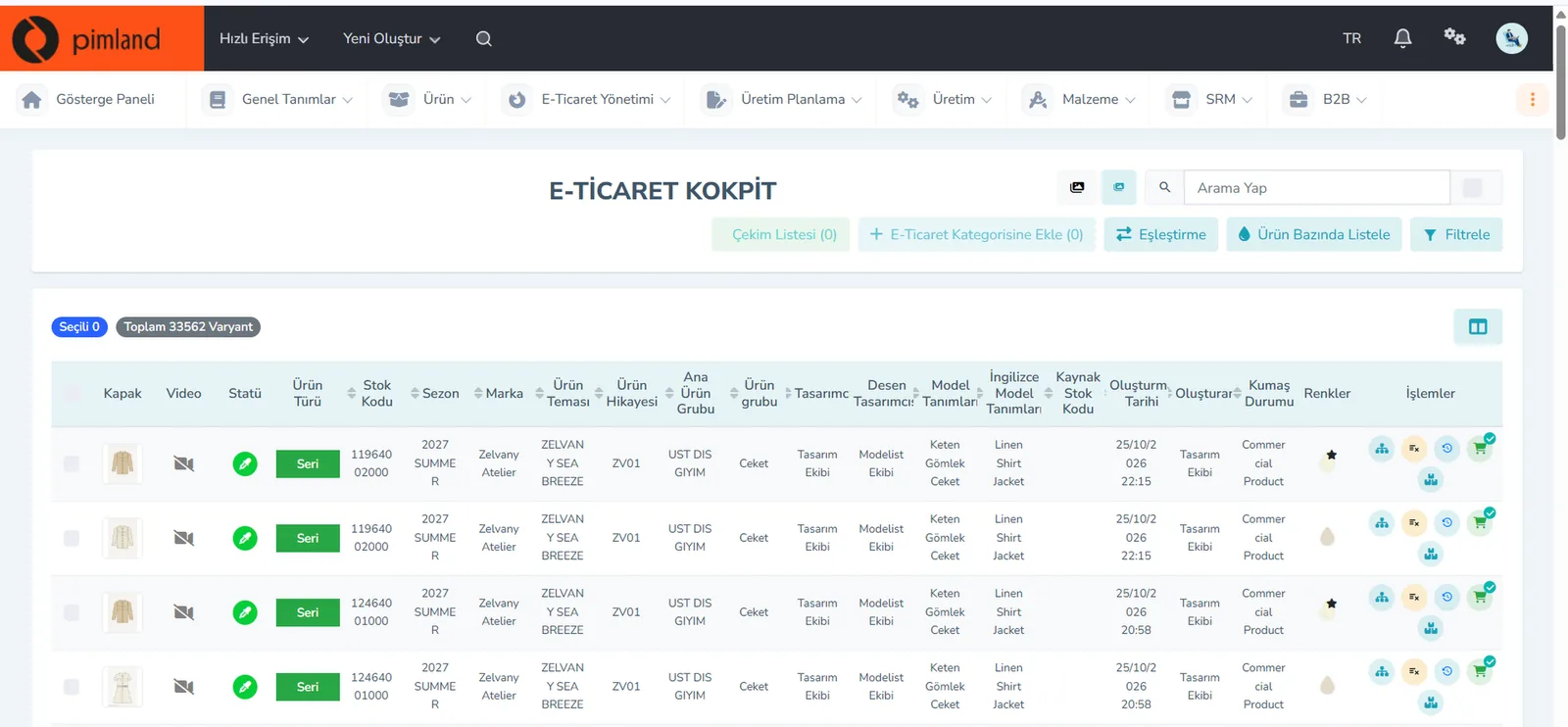
- E-commerce cockpit
- The PIM screen that shows all variants of a product in one list, with status, season, image and channel actions.
- Attribute
- A field value that describes a product and is used in search, filters and reports: season, product group, style, tag and so on.
- Barcode
- The sequence of code and bars that lets a product option be read by machine at the checkout, in the warehouse and during stock counts.
There are 3 questions at the end of the part; at least 2 correct answers open the next part. The questions open with your Academy account, after your Basic certificate.
 Certificate 1 · Pimland