Nebim and E-Commerce: Why Is Marketplace Product Content Incomplete?
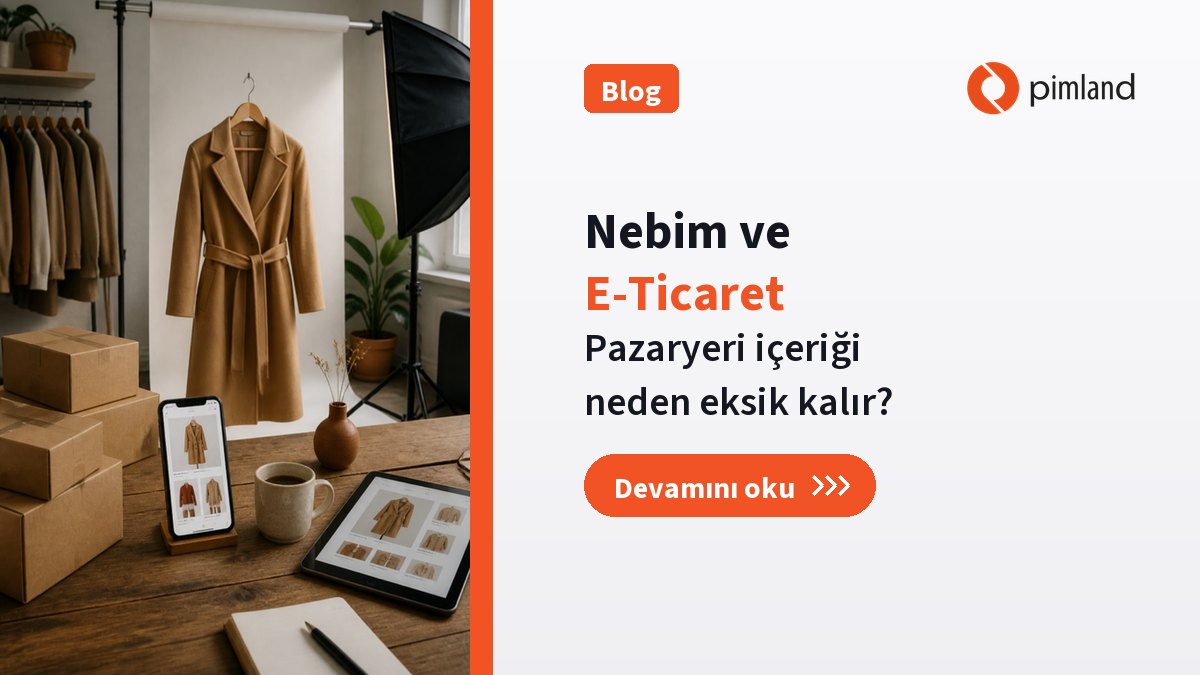
Nine days to Black Friday. The goods are in the warehouse, stock shows in Nebim, campaign prices are entered. But on the e-commerce manager's list, 200 products are still red: no description, missing size chart, images not in the size the marketplace requires. The products exist, but they cannot reach the shop window.
This picture shows one of the gaps that costs e-commerce the most revenue: stock and price are one thing, product content is another. In this article we explain why marketplace product content falls behind at brands running Nebim, and how to get it ready before the campaign starts.
Running Nebim? We will show you in 30 minutes. See live how one product content, joined with stock and price from Nebim, goes out to marketplaces. Book a demo
Key takeaways
- At brands running Nebim, stock, price and order flow are managed reliably through Nebim. The content that fills a marketplace page is separate work: titles, descriptions, attributes, size charts, images.
- When content is prepared separately for each channel, it is both late and inconsistent across channels.
- In a Nebim + Pimland setup, content is prepared once in PIM and goes to every channel in that channel's format; stock and price join from the record in Nebim.
- A measurement from the field: the time for a new product to be ready on all channels fell from 8 working days to 4, and TR and EN product descriptions from 20 to 5 minutes per product.
- At the end of the article you will find a checklist for campaign periods.
Stock and price are one thing, content is another
Nebim runs the commercial flow of retail: how many units of which product sit in which warehouse, at what price they sell, where an order is fulfilled from. Nebim ERA extends that commercial flow as a platform that unifies physical and digital channels. For a marketplace, the answers to “can this be sold, how many are there, at what price?” live on this side.
But customers do not buy a product by its stock count; they buy it from its product page. That page needs:
- A title that follows the channel's rules
- A description of fabric, fit and use
- Required attributes per category: fabric type, collar type, sleeve length, pattern
- Size chart and fit information
- Composition and care instructions
- Images in the size and number the channel requires
Most of this information is born not in the commercial record but in the product's development process. Composition sits in the tech pack, the size chart in the pattern maker's file, fit information in sample notes. When content is incomplete, it is usually because this information never reached the e-commerce team.
Why does separate content per channel cost you?
Every marketplace has its own category tree, required fields and image rules. When the team keeps a separate file per channel, three losses appear:
- Time: The same description is rewritten for every channel, or copied and fixed by hand. In the tightest window before a campaign, this is where most of the work goes.
- Inconsistency: Composition is updated on one channel and stays outdated on another. A colorway image changes and the marketplace keeps the old one. Customers do not know which information to trust, and return risk rises.
- Delay: Because channels are prepared one after another, some products reach some channels late. When the campaign starts, the product is still a draft.
The loss is not only the e-commerce team's. A product with an incomplete page does not sell even when it is in stock, and ends up in end-of-season markdowns.
The fix: one content in PIM, formatted per channel
PIM, product information management, is the single source of product content. Pimland's fashion PIM organizes this work alongside Nebim as follows:
One product record
Color and size variants, titles, descriptions and attributes sit in one record. Because composition, BOM and sourcing data are created in PLM, the approved product arrives in PIM without being retyped. The e-commerce team does not start from zero; it enriches.
Formatted per channel
Content is prepared once and goes to each channel with that channel's field structure and rules. Publishing to channels such as Shopify, Trendyol, Amazon and Hepsiburada is controlled per channel. When a piece of information changes, the change reaches every channel from the same source.
Approval flow
Content moves through Draft, Review, Approve and Publish. Which product is ready for which channel is visible on one screen, so the red items on the campaign list are spotted days in advance.
Multilingual content
When a product is approved, the AI content engine writes a first draft for the selected languages and channels, and an editor checks and approves it. Turkish and English descriptions are prepared at the same time, and international channels are not left for last.
What Nebim does, what Pimland adds
| Area | What Nebim does | What Pimland adds |
|---|---|---|
| Stock | Warehouse and store stock, stock opened to channels | Shows stock together with content on the same product record |
| Price | Sales and campaign prices | Joins price with the product content going to the channel, on one record |
| Orders | Orders, fulfillment and commercial flow | Does not touch this area |
| Product content | Commercial product information | Titles, descriptions, attributes, size charts and images, formatted per channel |
| Multilingual content | Commercial record | Content drafts in selected languages, with an approval flow |
| Channel readiness | The commercial side of sales channels | One screen showing which product is ready on which channel |
When the campaign starts, your product is not stuck in draft. Pimland is 100% integrated with Nebim across all modules; content is prepared in Pimland, stock and price in Nebim, and they meet on the channel page.
From the field: what changed?
When content is prepared from one source, time to channel gets shorter. At a brand using Pimland, the time for a new product to be ready on all channels fell from 8 working days to 4. For a campaign calendar, that means preparation finishes well ahead of the campaign, not days before it.
The difference is even clearer for multilingual content. In the same field, Turkish and English product descriptions went from 20 minutes to 5 minutes per product. AI writes the first draft, the team edits and approves; writing descriptions from scratch is over.
How do content, stock and price meet on the channel page?
In a Nebim + Pimland setup, a product's path to a marketplace page can be followed in four steps:
- The product is born. Style, variant structure, composition and size chart enter the record during product development; the approved product and variants are written to Nebim.
- Content is enriched. The e-commerce team completes titles, descriptions, attributes and images on the same record; AI prepares a first draft and an editor approves it.
- Commercial data is matched. Stock and price come from the record in Nebim. The content team does not keep stock counts or prices in a separate file.
- Channel publishing is controlled. The product goes to each channel in that channel's format. A product that is ready on one channel but incomplete on another is visible on one screen.
The most important result of this flow is clear ownership. Nebim's side owns stock and price, Pimland's side owns content; because the two meet on the same product record, nobody redoes the other's work.
Campaign period checklist
Black Friday, New Year or end of season: work through this list two weeks before a major campaign.
- Finalize the campaign product list. Which products are in the campaign, on which channels? Compare the list with stock in Nebim.
- Check content status channel by channel. Is each product's content on each channel in Draft, Approve or Publish?
- Complete required attributes. If fields a marketplace requires for the category are missing, the product is not listed or drops down the ranking.
- Review size charts. Products with missing or inconsistent size charts come back as returns during campaigns.
- Fit images to the channel's rules. Do size, background and number of images meet channel rules?
- Match composition and care with the tech pack. The information on the product page should be identical to the label.
- Do not forget multilingual channels. Have English content for international channels ready at the same time as Turkish.
- Test price and stock sync. See that campaign prices and stock reach the channel correctly before the campaign.
For the wider picture of product data in commerce, see PIM in 2026: integrations, AI and the connected product record.
One step further: decision intelligence
Once content is ready, the real campaign question remains: which products should be on the first page, and what should you do when a competitor's price changes? Pimland puts product data in order; SONROY joins it with sales and stock data from Nebim and recommends the decision.
During campaigns, SONROY S0 Ecom tracks the price bands of selected competitors, ranks the catalog with sales and stock data and answers customer questions on marketplaces in real time. Recommendations come with their reasoning, and approval stays with the team. You can start with a single module through a suitable SONROY package.
The question of which product to feature in a campaign is covered on the SONROY blog in Nebim and marketplaces: which products should lead the campaign?
Frequently asked questions
Why do we need PIM if Nebim already covers e-commerce?
Nebim runs the commercial flow: stock, price and orders. PIM prepares the content that fills the product page: titles, descriptions, attributes, size charts and images. In a Nebim + Pimland setup, the two meet on the same product record; one does not replace the other.
Which channels does Pimland send content to?
Publishing to channels such as Shopify, Trendyol, Amazon and Hepsiburada is controlled per channel. Content is prepared once and goes to each channel in its own format; stock and price sync runs from the same product record.
How is multilingual content prepared?
When a product is approved, the AI content engine drafts content for the selected languages and channels; an editor checks and approves it. AI assistants work only with your data, and your data is not used to train models.
How do we see which products are incomplete before a campaign?
The content status of every product on every channel is visible on one screen through the Draft, Review, Approve and Publish steps. Missing attributes or images are spotted before the campaign.
Which module should we start with?
There is a starting point for every budget: start with the module you need and expand as you grow. Brands struggling with channel content usually start with PIM and add PLM, where product data is born, later.
See it with your Nebim in 30 minutes
Go into your next campaign ready. In a 30-minute live demo, we will show how one of your products' content reaches channels together with stock and price from Nebim. Book a demo or message us on WhatsApp.
Integration details are on the Nebim integration page. Previous article in the series: Before you open a product card in Nebim: where should product data be born? Next: Supplier and contract manufacturing tracking with Nebim.